Hello,
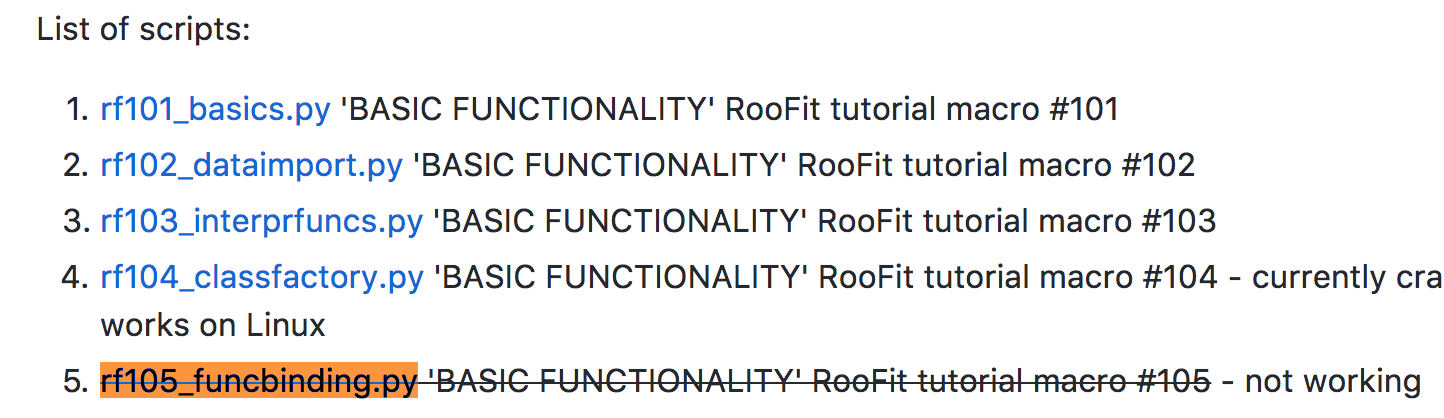
Looking at https://github.com/clelange/roofit, I see that rf105_funcbinding.py isn’t working (tried it locally on lxplus and it isn’t indeed). Is there a chance to make it operational or at least to see how the Math::beta_pdf can be used in python?
I’m talking about this line:
beta = ROOT.RooFit.bindPdf("beta", ROOT.Math.beta_pdf, x2, a, b)
Thanks!
Noam
Hi,
The function ROOT.Math.beta_pdf should work in Python. The problem you are having is maybe due to calling ROOT.RooFit.bindPdf in PyROOT. Maybe @etejedor can help you on this
Best Regards
Lorenzo
Hi,
function pointers are currently not supported.
We opened an issue on our bug tracker about this https://sft.its.cern.ch/jira/browse/ROOT-9159
Best,
Danilo
Hi Lorenzo and Danilo,
Many Thanks for the super prompt response!
I guess there isn’t any quick and dirty workaround I can try in the meantime?
Cheers,
Noam
Hi Noam,
actually there is, passing through C++ and finding back the elements in Python:
    # Bind one-dimensional ROOT.TMath.Erf function as ROOT.RooAbsReal function
    ROOT.gInterpreter.ProcessLine('auto x = RooRealVar("x", "x", -3, 3); auto myerf = RooFit::bindFunction("erf", TMath::Erf, x)')
    x = ROOT.x
    erf = ROOT.myerf
Could this unblock you?
Cheers,
D
Thanks Danilo, I think that should do the work
Cheers,
Noam
Hi Danilo,
Just to say that in order for this to work, one needs to explicitly load the RooFit lib:
import ROOT
from ROOT import *
ROOT.gSystem.Load("libRooFit")
ROOT.gInterpreter.ProcessLine(...)
and the rest is as you had above
Cheers,
Noam
Hi @Danilo
Just one small question 
How do I release the definition of x and myerrf from ROOT if this actually has to be done in a loop?
Sorry about the spam!
Noam
Thanks. What version are you using?
Hi Noam,
don’t worry: this is a valid question. What do you exactly mean? Are you having problems in redefining something in C++?
Cheers,
D
Hi Danilo,
- I’m using RooFit v3.60
- About the other question, I run this in a loop and the definitions done in the ProcessLine() call are staying across the loop, unlike the definitions done with everything that can be simply defined in pyROOT (e.g. y=RooRealVar(…)). At least, I think this is the case.
The error I get iserror: redefinition of 'x'... previous definition is here...
So, I guess I will need to “unbind” x and myerrf somehow from ROOT in every iteration but I don’t know how.
Cheers,
Noam
Hi Noam,
thanks.
About point 1) what is the ROOT version?
About point 2) What about defining the x variable outside the loop?
Cheers,
D
Hi Danilo,
I’m using ROOT 6.08/06.
About defining the x variable once, that’s not an option since the range has to change in different iterations.
Is it possible to undefine/unbind it?
Cheers,
Noam
Hi Danilo,
I think I managed:
cpp = 'auto x = RooRealVar("x","",'+str(xmin)+','+str(xmax)+'); x.setBins('+str(nbins)+'); auto myerrf = RooFit::bindFunction("errf", TMath::Erf, x);'
if(not isFirstIter): cpp = cpp.replace("auto","")
print "cpp:",cpp
ROOT.gInterpreter.ProcessLine(cpp)
response = ROOT.x
errf = ROOT.myerrf
...
Cheers,
Noam
Hi Noam,
I see: this would work. Thanks for sharing the solution. The name of the game is indeed to avoid idiosyncrasies which could pop up in the mix of Python and C++ such as redefinition of variables.
In order to reuse the same memory and avoid to reallocate a new RooRealVar at every iteration, you may want to use the RooRealVar methods setMin, setMax, setBins.
Cheers,
Danilo