Drawing Multi-Valued 3D Plots with Proper Meshes

Hello All!

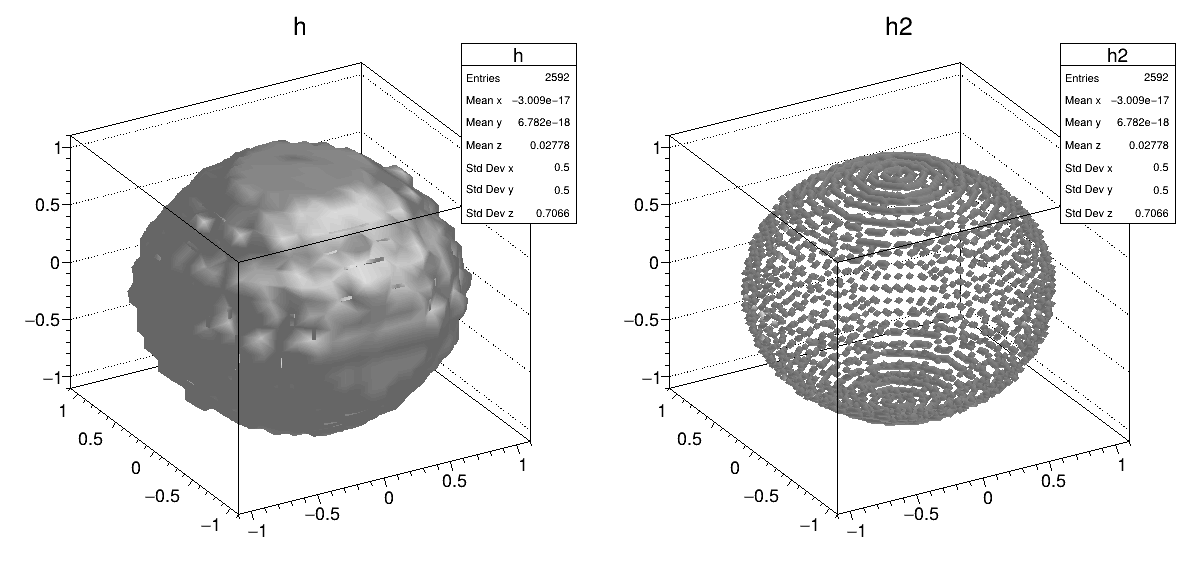
I am currently trying to make 3D plots of angular correlations for gamma-ray emissions and have stumbled upon a potential issue: because the function I am plotting is multi-valued in z, the triangularization that occurs to build the mesh during a Draw("SURF2") call fails. Plotting the function using a cloud of points does give the correct shape, but is obviously not visually appealing. Below is a reproducer of this behavior which plots a sphere using my current method. The P0 plot displays the correct shape, verifying that my plotting method makes sense, but the SURF2 plot fails. Is there any way to overcome this? I’ve looked around the docs for a bit but have not been able to find what I need. Thanks in advance for the help!

TGraph2D *g = new TGraph2D();

int nTheta = 180 / 5;
int nPhi = 360 / 5;

int p = 0;
for (int i = 0; i < nTheta; ++i)
{
double theta = i * TMath::Pi() / nTheta;

for (int j = 0; j < nPhi; ++j)
{
    double phi = j * 2.0 * TMath::Pi() / nPhi;

    double r = 1;

    double x = r * sin(theta) * cos(phi);
    double y = r * sin(theta) * sin(phi);
    double z = r * cos(theta);

    g->SetPoint(p++, x, y, z);
}

}

TCanvas *c = new TCanvas(“c”, “c”, 1200, 600);
c->Divide(2, 1);

c->cd(1);
g->Draw(“SURF2”);

c->cd(2);
g->Draw(“P0”);

ROOT Version: 6.40.00
Platform: Arch Linux
Compiler: gcc (GCC) 16.1.1 20260430
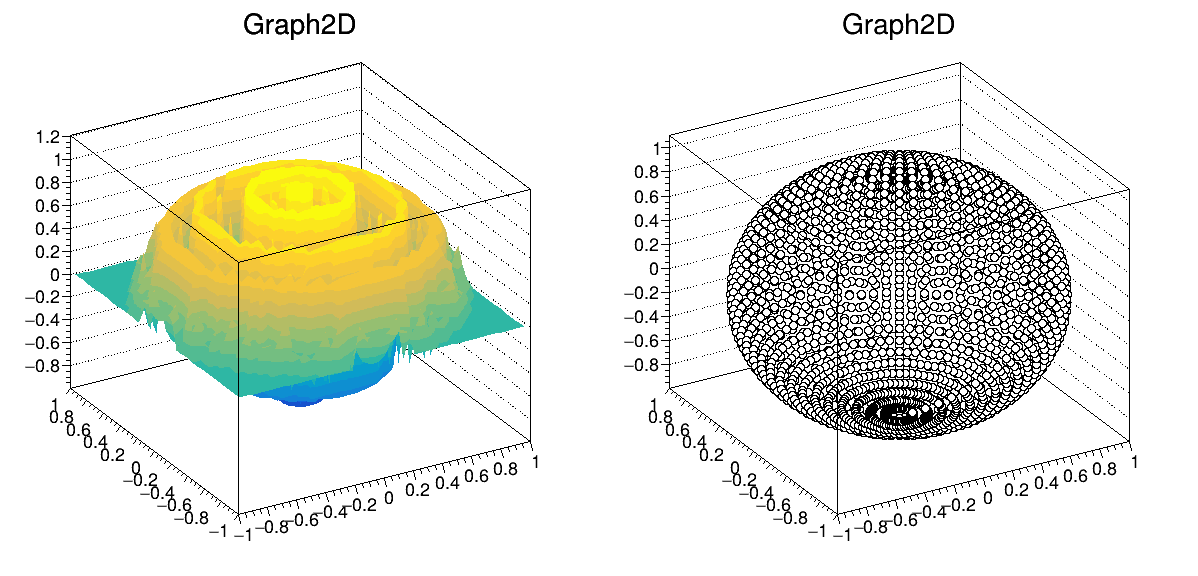

You could try a TH3 instead of TGraph2D, although that means you’ll have predefined bins (same-sized, or otherwise if you define your own array of bins), and then Draw it with the “ISO” option; note however that it will probably not look like a “closed” surface; for example:

 {
  TGraph2D *g = new TGraph2D();

  int nb = 22;
  float l0 = -1.1, l1 = 1.1;
  TH3D *h = new TH3D("h","h",nb,l0,l1,nb,l0,l1,nb,l0,l1);

  nb = 66;
  TH3D *h2 = new TH3D("h2","h2",nb,l0,l1,nb,l0,l1,nb,l0,l1);

  int nTheta = 180 / 5;
  int nPhi = 360 / 5;

  int p = 0;
  for (int i = 0; i < nTheta; ++i)
    {
      double theta = i * TMath::Pi() / nTheta;

      for (int j = 0; j < nPhi; ++j)
        {
          double phi = j * 2.0 * TMath::Pi() / nPhi;

          double r = 1;

          double x = r * sin(theta) * cos(phi);
          double y = r * sin(theta) * sin(phi);
          double z = r * cos(theta);

          g->SetPoint(p++, x, y, z);
          h->Fill(x,y,z);
          h2->Fill(x,y,z);
        }

    }

  TCanvas *c = new TCanvas("c", "c", 1200, 600);
  c->Divide(2, 1);

  c->cd(1);
  //g->Draw("SURF2");
  h->Draw("iso");

  c->cd(2);
  h2->Draw("iso");
  //g->Draw("P0");
}

gives me


(notice how the surfaces are bumpy, and more -smaller- bins result in bigger “gaps”)

The SURFx option for TH2 of TGraph2D are not multi-valued in z. As said by @dastudillo TH3 is the proper object.