ROOT Version: 6.36.08
Built for linuxx8664gcc on Mar 10 2026, 09:46:52
cmake version 3.28.3
gcc version 13.3.0
I have successfully installed Garfield++ and VSCode, but my compiler is unable to correctly recognize the header files of Garfield, resulting in red wavy lines appearing in the compiler.
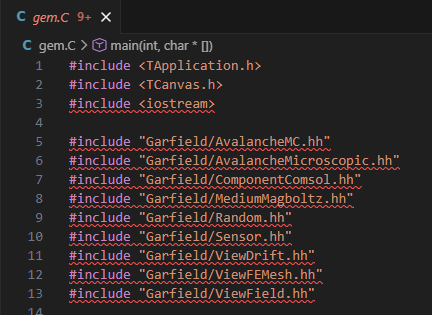
Even though I updated the .vscode/c_cpp_properties.json configuration file and added the correct path to the Garfield++ header files, there are still red wavy lines appearing.
By the way, when I was compiling Garfield++ using CMake, I changed the installation path to /usr/local. I also installed Geant4 through source code compilation, but VSCode was able to correctly recognize the Geant4 header files.