Hello,
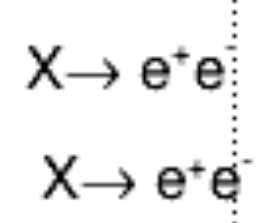
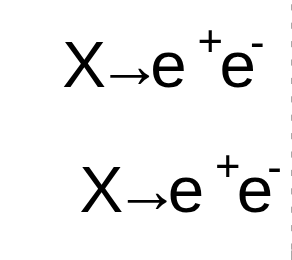
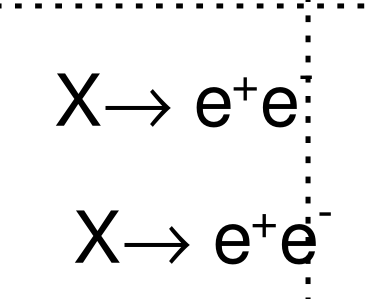
Had a quick question on a particular nuiances with how the text is rendered. Specifically with the right arrow. I’ve attached the script below. The alignment of the right arrow is clearly not centered with the text neither the capital “X” nor the “e” in this case? Just want to check if there is a quick fix to this?
Thank you.
import ROOT
ROOT.gROOT.SetBatch(True)

c = ROOT.TCanvas("c", "c", 800, 600)
c.SetGrid()
c.DrawFrame(0,0,0.3,0.3)

latex = ROOT.TLatex()
# latex.SetBorderSize(0)
latex.SetNDC()
latex.SetTextAlign(12)
latex.SetTextFont(42)
latex.SetTextSize(0.028)
latex.DrawLatex(0.3, 0.2, "X#rightarrow e^{+}e^{-}")
latex.Draw()

processLabelText = ROOT.TPaveText(0.3, 0.1, 0.4, 0.2, "NDC")
processLabelText.SetBorderSize(0)
processLabelText.SetFillStyle(0)
processLabelText.SetTextAlign(12)
processLabelText.SetTextFont(42)
processLabelText.SetTextSize(0.028)
processLabelText.SetTextColor(ROOT.kBlack)
processLabelText.AddText("X#rightarrow e^{+}e^{-}")
processLabelText.Draw()

c.Draw()
c.SaveAs("RightArrowTest.pdf")
 ; here’s from the png: