Hard to tell what the problem is… I’ll try with ROOT v6.40.02 and let you know
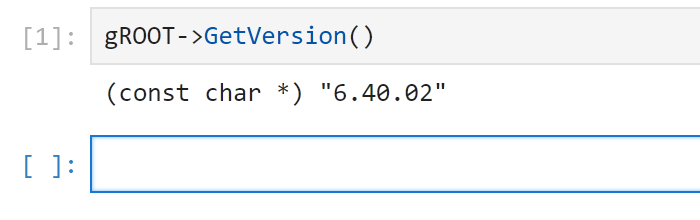
OK, so no problem with ROOT v6.40.02:
C:\root-dev\temp\build\root-6.40.02>root --notebook

C:\root-dev\temp\build\root-6.40.02>[I 2026-07-30 11:13:18.111 ServerApp] jupyter_lsp | extension was successfully linked.
[I 2026-07-30 11:13:18.114 ServerApp] jupyter_server_terminals | extension was successfully linked.
[I 2026-07-30 11:13:18.118 ServerApp] jupyterlab | extension was successfully linked.
[W 2026-07-30 11:13:18.120 JupyterNotebookApp] 'extra_static_paths' was found in both NotebookApp and ServerApp. This is likely a recent change. This config will only be set in NotebookApp. Please check if you should also config these traits in ServerApp for your purpose.
[I 2026-07-30 11:13:18.123 ServerApp] notebook | extension was successfully linked.
[I 2026-07-30 11:13:19.027 ServerApp] notebook_shim | extension was successfully linked.
[I 2026-07-30 11:13:19.089 ServerApp] notebook_shim | extension was successfully loaded.
[I 2026-07-30 11:13:19.092 ServerApp] jupyter_lsp | extension was successfully loaded.
[I 2026-07-30 11:13:19.093 ServerApp] jupyter_server_terminals | extension was successfully loaded.
[I 2026-07-30 11:13:19.097 LabApp] JupyterLab extension loaded from C:\Python314\Lib\site-packages\jupyterlab
[I 2026-07-30 11:13:19.097 LabApp] JupyterLab application directory is C:\Python314\share\jupyter\lab
[I 2026-07-30 11:13:19.098 LabApp] Extension Manager is 'pypi'.
[I 2026-07-30 11:13:19.196 ServerApp] jupyterlab | extension was successfully loaded.
[I 2026-07-30 11:13:19.201 ServerApp] notebook | extension was successfully loaded.
[I 2026-07-30 11:13:19.202 ServerApp] Serving notebooks from local directory: C:\root-dev\temp\build\root-6.40.02
[I 2026-07-30 11:13:19.203 ServerApp] Jupyter Server 2.20.0 is running at:
[I 2026-07-30 11:13:19.203 ServerApp] http://localhost:8888/tree?token=d2a4c85f6e6d98a168bb8a81a804379d47db54331ff83377
[I 2026-07-30 11:13:19.203 ServerApp]     http://127.0.0.1:8888/tree?token=d2a4c85f6e6d98a168bb8a81a804379d47db54331ff83377
[I 2026-07-30 11:13:19.203 ServerApp] Use Control-C to stop this server and shut down all kernels (twice to skip confirmation).
[C 2026-07-30 11:13:19.249 ServerApp]

    To access the server, open this file in a browser:
        file:/C:/Users/bellenot/AppData/Roaming/jupyter/runtime/jpserver-33780-open.html
    Or copy and paste one of these URLs:
        http://localhost:8888/tree?token=d2a4c85f6e6d98a168bb8a81a804379d47db54331ff83377
        http://127.0.0.1:8888/tree?token=d2a4c85f6e6d98a168bb8a81a804379d47db54331ff83377
[I 2026-07-30 11:13:19.393 ServerApp] Skipped non-installed server(s): basedpyright, bash-language-server, dockerfile-language-server-nodejs, javascript-typescript-langserver, jedi-language-server, julia-language-server, pyrefly, pyright, python-language-server, python-lsp-server, r-languageserver, sql-language-server, texlab, typescript-language-server, unified-language-server, vscode-css-languageserver-bin, vscode-html-languageserver-bin, vscode-json-languageserver-bin, yaml-language-server
[I 2026-07-30 11:13:24.676 ServerApp] Creating new notebook in
[I 2026-07-30 11:13:25.079 ServerApp] Saving file at /Untitled.ipynb
[I 2026-07-30 11:13:25.178 ServerApp] Kernel started: 9f25929b-1891-45b2-a1c0-42960f1f06a5
[IPKernelApp] WARNING | Kernel is running over TCP without encryption. All communication (including code and outputs) is sent in plain text and is susceptible to eavesdropping. Use IPC transport or launch with kernel manager-provisioned CurveZMQ keys to enable transport encryption.
←[2;32m[I 2026-07-30 11:13:28.792 ServerApp]←[0m Adapting from protocol version 5.3 (kernel 9f25929b-1891-45b2-a1c0-42960f1f06a5) to 5.4 (client).
←[2;32m[I 2026-07-30 11:13:28.792 ServerApp]←[0m Adapting from protocol version 5.3 (kernel 9f25929b-1891-45b2-a1c0-42960f1f06a5) to 5.4 (client).
←[2;32m[I 2026-07-30 11:13:28.793 ServerApp]←[0m Connecting to kernel 9f25929b-1891-45b2-a1c0-42960f1f06a5.
←[2;32m[I 2026-07-30 11:13:28.835 ServerApp]←[0m Connecting to kernel 9f25929b-1891-45b2-a1c0-42960f1f06a5.
←[2;33m[W 2026-07-30 11:13:28.876 ServerApp]←[0m The websocket_ping_timeout (90000) cannot be longer than the websocket_ping_interval (30000).
    Setting websocket_ping_timeout=30000
←[2;32m[I 2026-07-30 11:13:28.880 ServerApp]←[0m Adapting from protocol version 5.3 (kernel 9f25929b-1891-45b2-a1c0-42960f1f06a5) to 5.4 (client).
←[2;32m[I 2026-07-30 11:13:28.881 ServerApp]←[0m Connecting to kernel 9f25929b-1891-45b2-a1c0-42960f1f06a5.
←[2;32m[I 2026-07-30 11:13:28.927 ServerApp]←[0m Adapting from protocol version 5.3 (kernel 9f25929b-1891-45b2-a1c0-42960f1f06a5) to 5.4 (client).
←[2;32m[I 2026-07-30 11:13:28.928 ServerApp]←[0m Connecting to kernel 9f25929b-1891-45b2-a1c0-42960f1f06a5.
←[2;33m[W 2026-07-30 11:13:28.987 ServerApp]←[0m Got events for closed stream <zmq.eventloop.zmqstream.ZMQStream object at 0x000001A1EEBCAC10>
I will uninstall Python, purge everything Python related, and try again.
I tried the following
- Uninstalled ROOT and Python 3.14
- Deleted all Python related files and directories in
C:/ProgramData, C:/users/johan, C_/users/johan/AppData/Local, C:/users/johan/AppData/Roaming - Removed everything Python related from the environment
- Installed Python 3.14 and ROOT
Then I started a notebook and selected the ROOT C++ kernel.
Everything looked fine until I tried to execute C++ code. Then nothing happened.
But at least I got a more intelligible error message in the console output:
Traceback (most recent call last):
File “”, line 194, in _run_module_as_main
File “”, line 114, in get_module_details
File "C:\Root\root-6.40.02\bin\ROOT_jupyroot_init.py", line 16, in
from ROOT._jupyroot.helpers import utils
File “C:\Root\root-6.40.02\bin\ROOT_jupyroot\helpers\utils.py”, line 37, in
ROOT.gROOT.SetBatch()
^^^^^^^^^^^^^^^^^^^
File “C:\Root\root-6.40.02\bin\ROOT_facade.py”, line 40, in getattr
return getattr(self._gROOT, name)
^^^^^^^^^^^
File “C:\Root\root-6.40.02\bin\ROOT_facade.py”, line 33, in _gROOT
gROOT = self._facade._cppyy.gbl.ROOT.GetROOT()
^^^^^^^^^^^^^^^^^^^
File “C:\Root\root-6.40.02\bin\ROOT_facade.py”, line 349, in _getattr
self._finalSetup()
~~~~~~~~~~~~~~~~^^
File “C:\Root\root-6.40.02\bin\ROOT_facade.py”, line 272, in finalSetup
import cppyy
File "C:\Root\root-6.40.02\bin\cppyy_init.py", line 74, in
from ._cpython_cppyy import *
File “C:\Root\root-6.40.02\bin\cppyy_cpython_cppyy.py”, line 24, in
import libcppyy as _backend
ModuleNotFoundError: No module named ‘libcppyy’
Here is the complete console output
Log.txt (13.6 KB)
If the config & build of ROOT went well, libcppyy.pyd should be in the bin directory:
C:\Users\bellenot\build\x64\relwithdebinfo>dir bin\libcppyy.pyd
 Volume in drive C is Windows
 Volume Serial Number is 963F-3D38

 Directory of C:\Users\bellenot\build\x64\relwithdebinfo\bin

24/07/2026  10:48            12,800 libcppyy.pyd
               1 File(s)         12,800 bytes
               0 Dir(s)  690,084,470,784 bytes free
No, it is in C:\Root\root-6.40.02\bin\cppyy
C:\Root\root-6.40.02\bin>dir libcppyy.pyd
Volume in drive C is Windows-SSD
Volume Serial Number is 98A4-291ADirectory of C:\Root\root-6.40.02\bin
File Not Found
C:\Root\root-6.40.02\bin>dir cppyy\libcppyy.pyd
Volume in drive C is Windows-SSD
Volume Serial Number is 98A4-291ADirectory of C:\Root\root-6.40.02\bin\cppyy
2026-07-30 20:27 9 728 libcppyy.pyd
1 File(s) 9 728 bytes
0 Dir(s) 608 737 898 496 bytes free
Then something went wrong when you configured ROOT. It didn’t find Python. Can you try again with cmake -Dpyroot=ON -Dtpython=ON
You should see something like:
...
-- PyROOT: development package found. Building for version 3.14.2
...
And at the end, pyroot and tpython should be in the list in -- Enabled support for:
For example (from my own config):
-- Enabled support for: asimage asserts builtin_cfitsio builtin_clang builtin_cling builtin_civetweb builtin_freetype builtin_ftgl builtin_gif builtin_gl2ps builtin_gtest builtin_jpeg builtin_llvm builtin_lz4 builtin_lzma builtin_nlohmannjson builtin_openui5 builtin_pcre builtin_png builtin_tbb builtin_tiff builtin_unuran builtin_xxhash builtin_zlib builtin_zstd check_connection clad curl dataframe dev fftw3 fitsio gdml geom http imt mathmore opengl pyroot pythia8 roofit root7 shared spectrum sqlite testsupport thisroot_scripts tmva tmva-cpu tmva-cudnn tmva-pymva tpython unfold unuran use_gsl_cblas webgui xml
I tried that. I configured with the command
set SOURCE_DIR=C:/Root/root-6.40.02-source
set BUILD_DIR=C:/Root/root-6.40.02-build
set INSTALL_DIR=C:/Root/root-6.40.02
if exist “%BUILD_DIR%” rmdir /s /q “%BUILD_DIR%”
if exist “%INSTALL_DIR%” rmdir /s /q “%INSTALL_DIR%”
cmake -S “%SOURCE_DIR%” -B “%BUILD_DIR%” -G “Visual Studio 17 2022” ^
-A x64 -T host=x64 -Wno-author -DCMAKE_CXX_STANDARD=20 ^
-Dpyroot=ON -Dtpython=ON ^
-Dbuiltin_freetype=ON -Dbuiltin_ftgl=ON -Dbuiltin_gif=ON -Dbuiltin_gl2ps=ON ^
-Dbuiltin_jpeg=ON -Dbuiltin_png=ON -Dbuiltin_gtest=ON -Dbuiltin_lzma=ON ^
-Dbuiltin_lz4=ON -Dbuiltin_pcre=ON -Dbuiltin_tiff=ON -Dbuiltin_unuran=ON ^
-Dbuiltin_xxhash=ON -Dbuiltin_zlib=ON -Dbuiltin_zstd=ON
The console output contains
-- Enabled support for: asimage builtin_clang builtin_cling builtin_civetweb builtin_freetype builtin_ftgl builtin_gif builtin_gl2ps builtin_gtest builtin_jpeg builtin_llvm builtin_lz4 builtin_lzma builtin_nlohmannjson builtin_openui5 builtin_pcre builtin_png builtin_tbb builtin_unuran builtin_xxhash builtin_zlib builtin_zstd check_connection clad dataframe gdml geom http imt opengl pyroot roofit root7 shared spectrum thisroot_scripts tmva tmva-cudnn tpython use_gsl_cblas webgui
pyroot and tpython are in the list as expected. I have attached the complete output
Log.txt (8.0 KB)
And after building you have no error and no bin\libcppyy.pyd? Then I don’t know what else to check…
I only configured. I will build later.
I redid everything from scratch and got the same error
ModuleNotFoundError: No module named ‘libcppyy’
Could you run dir /s on the bin directory in your install directory?
I want to compare with my installation.
Here is the content of the bin directory in my build directory:
bin-content.txt (68.2 KB)
Thanks! Could you run
dir /b /s /o:g
on the bin directory? Easier to process the output that way.
bin-content.txt (81.3 KB)
I cannot see any significant difference between bin in your build and my build.
But there is one striking difference between bin in my build and my install:
In the build files, libcppyy.pyd is in bin,
but in the installed files, libcppyy.pyd is in bin/cppyy:
C:\Root\root-6.40.02-build\bin\libcppyy.pyd
C:\Root\root-6.40.02\bin\cppyy\libcppyy.pyd
Is this expected?
I’ll have to check. In the meanwhile, you could try to copy libcppyy.pyd back in the bin directory, to see if it works like this.
You can also try to add %ROOTSYS%\bin\cppyy in your %PATH%
You mean add it to my %PYTHONPATH% ?