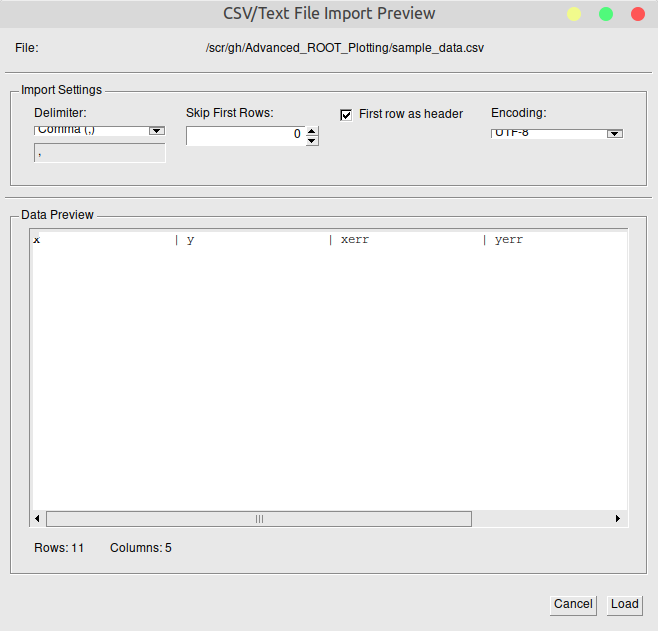
I tested your app on Linux Mint (Cinnamon) and see a UI issue --don’t know if the same that Bellenot mentions. In the import CSV/Text file window, the dropdown lists (for Delimiter and Enconding) are not tall enough:
Note that I am not using the default theme on my system, so I don’t know if this has to do with my own setup (theme, text size, etc.).
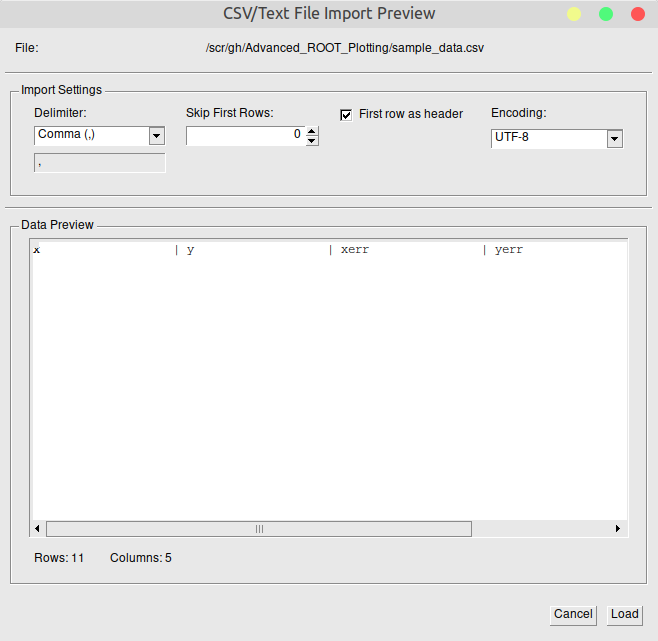
Anyway, since the “Skip first rows” box looks ok, I modified CSVPreviewDialog.cpp to use for TGComboBox the same height as the (automatically-assigned) height for a ‘dummy’ TGTextEntry (not hard-coding the size as a number, just getting the size of one instance), to get:
I will try a pull request, but maybe my solution can be improved (maybe it’s a bug in TGComboBox?), but this works ok for my case.
Edit: I see the same box size problem in Fedora 43 with Gnome; my fix works here too.
Thanks @dastudillo , I wasn’t getting this issue on my screen. But anyway thanks for improving the GUI. Please create a pull request whenever you feel so.
Great! I was doing the request on my own fork but now it’s on your repo. By the way, I get these messages the first time I run make on your code (only in a first compilation after cloning your repo), a conflict with TGFrame’s own ProcessMessage:
$ make -j12
[  6%] Generating AdvancedPlotGUIDict.cxx, libAdvancedPlotGUIDict_rdict.pcm, libAdvancedPlotGUIDict.rootmap
In file included from input_line_8:5:
/scr/gh/Advanced_ROOT_Plotting/include/CSVPreviewDialog.h:53:20: warning: 'ProcessMessage' overrides a member function but is not marked 'override' [-Winconsistent-missing-override]
    virtual Bool_t ProcessMessage(Long_t msg, Long_t parm1, Long_t parm2);
                   ^
/home/daniel/root/include/TGFrame.h:338:11: note: overridden virtual function is here
   Bool_t ProcessMessage(Longptr_t, Longptr_t, Longptr_t) override { return kFALSE; }
          ^
Warning in <ColumnSelectorDialog>: The data members of ColumnSelectorDialog will not be stored, because it inherits from TObject but does not have its own ClassDef.
Warning in <CSVPreviewDialog>: The data members of CSVPreviewDialog will not be stored, because it inherits from TObject but does not have its own ClassDef.
Warning in <ROOTFileBrowser>: The data members of ROOTFileBrowser will not be stored, because it inherits from TObject but does not have its own ClassDef.
Warning in <RootEntrySelector>: The data members of RootEntrySelector will not be stored, because it inherits from TObject but does not have its own ClassDef.
[ 53%] Building CXX object     (etc... until 100%, and it finishes correctly)