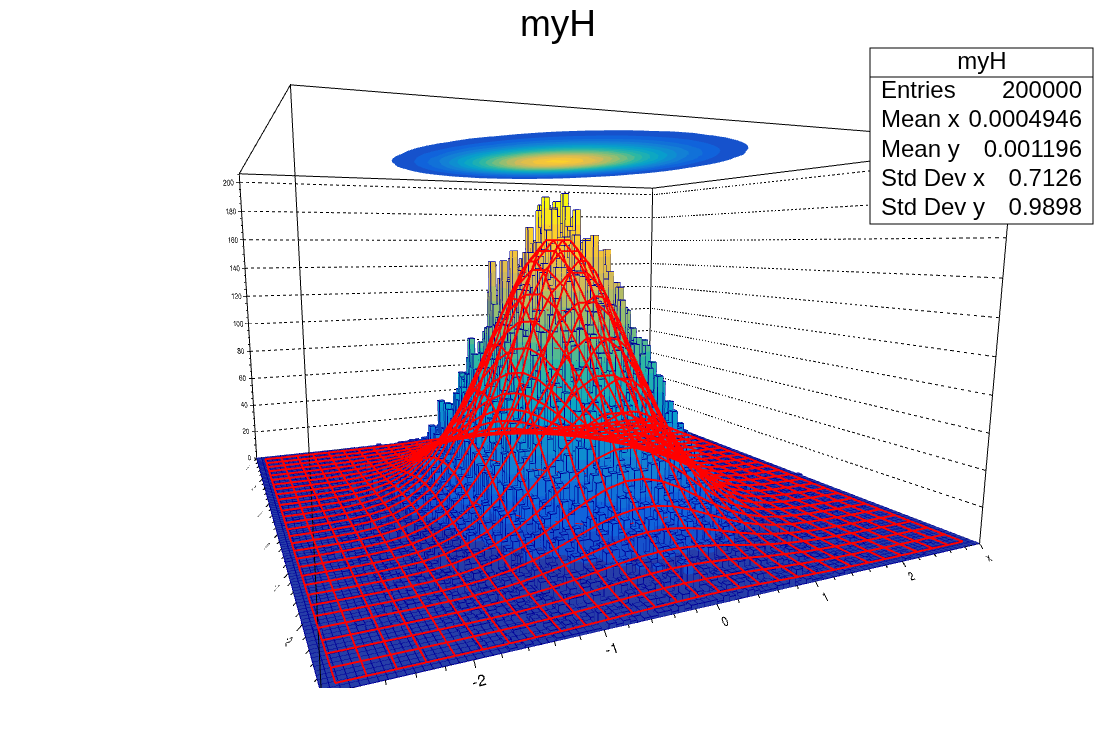
Draw("surf3 same") on top of lego plot


Please read tips for efficient and successful posting and posting code

ROOT Version: 6.36.16
Platform: macosxarm64
Compiler: Apple clang version 21.0.0 (clang-2100.0.123.102)


There is probably an easy way to do this, but I haven’t found it. I would like to do something similar to hist->Draw(“surf3”) but with the histogram plotted as a lego(3) and associated function plotted as the contours on the upper plane. The closest that I can come is


  int maxFill = 200000;
  TH2D *myH = new TH2D("myH", "myH", 100, -3, 3, 100, -3, 3);
  TF2 *myTF2 = new TF2("myTF2", "[0]*exp(-([2]*x*x + [3]*y*y)/[1])", -3, 3, -3, 3);
  myTF2->SetParameters(10.0, 1.0, 1.0, 0.5);
  Double_t a,b;
  for (int i = 0; i < maxFill; i++) {
    myTF2->GetRandom2(a,b);
    myH->Fill(a,b);
  }

  myH->Draw("LEGO2");
  
  myH->Fit("myTF2", "O");

  myH->GetFunction("myTF2")->Draw("surf3 same");

There are two problems with this solution. First, the function is also plotted on the lego plot as a surface
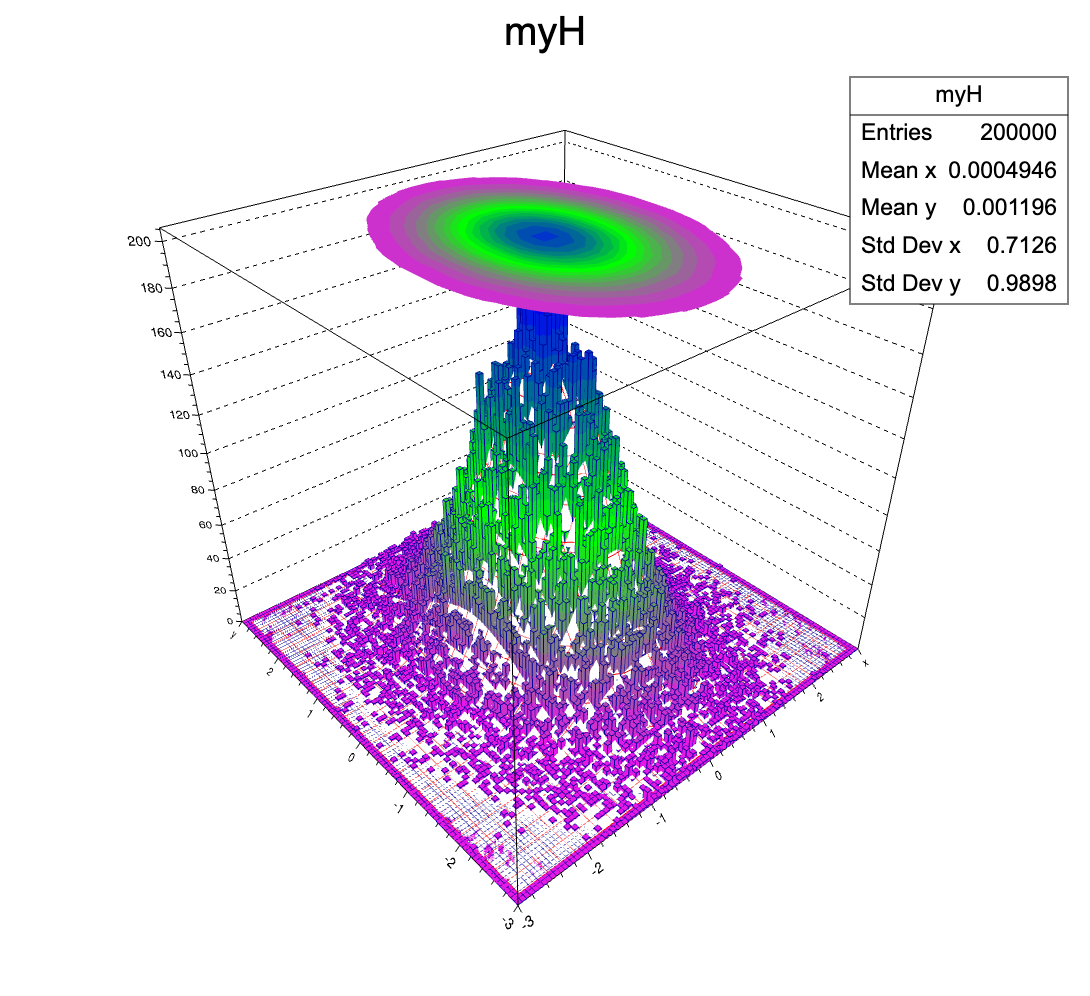
and second, when rotating the view, the contours disappear if viewed from below
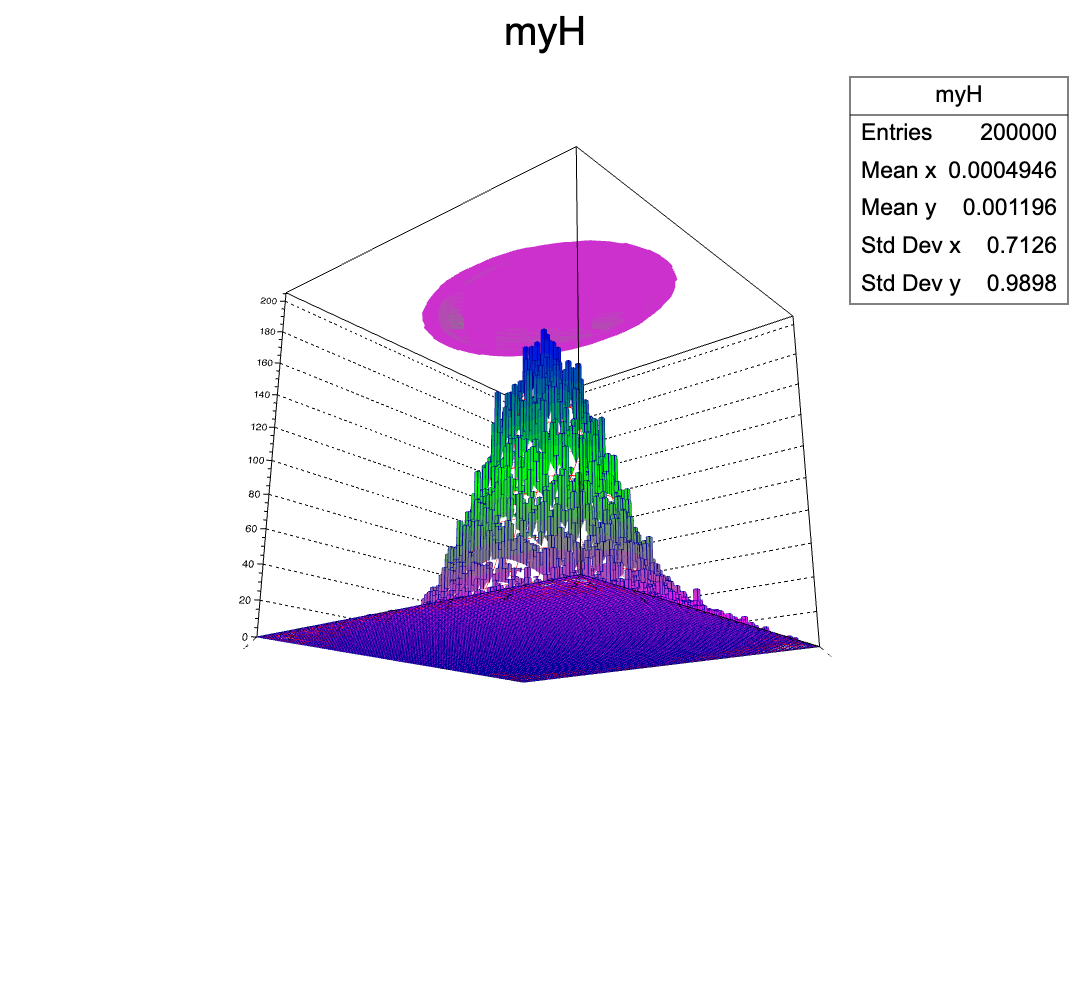
If I were to generalize this request, it would be to be able to plot one TH2 as a 3d plot (ability to choose lego, lego2, lego3, etc would be even better) and another one as a contour plot (with what ever contour options are available–cont, cont1, cont2, colz, etc) on the plane above the plot. This would allow one other switch the histogram and the function, for example.

Thanks for any pointers you have.

Paul
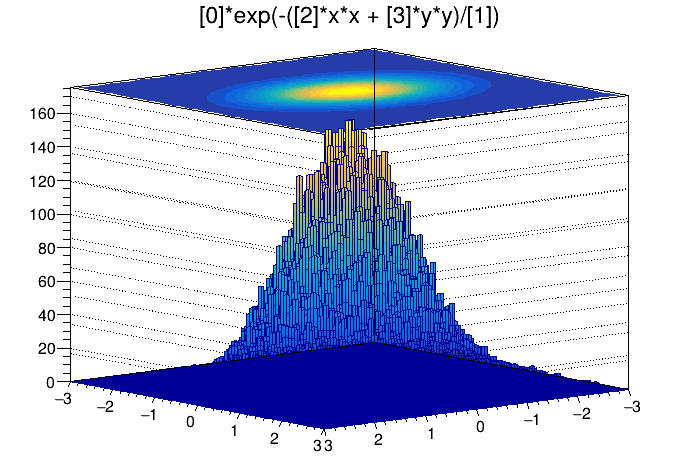
Try drawing first the surf plot, then the lego plot. Also, try the latest ROOT version (6.40.02).
With the above I get what I think you’re asking, but note that to not draw the fit the option is a number zero, not a letter O (not sure if that’s what you have in your code, but copying your text above doesn’t result in a zero for me); also, note that I added SetLineWidth(0) to myTF2, otherwise, the red lines are shown when drawing with surf3.

{
  int maxFill = 200000;
  TH2D *myH = new TH2D("myH", "myH", 100, -3, 3, 100, -3, 3);
  TF2 *myTF2 = new TF2("myTF2", "[0]*exp(-([2]*x*x + [3]*y*y)/[1])", -3, 3, -3, 3);
  myTF2->SetParameters(10.0, 1.0, 1.0, 0.5);
  Double_t a,b;
  for (int i = 0; i < maxFill; i++) {
    myTF2->GetRandom2(a,b);
    myH->Fill(a,b);
  }
  //myH->Draw("LEGO2");
  myH->Fit("myTF2", "0");
  myH->GetFunction("myTF2")->SetLineWidth(0);
  myH->GetFunction("myTF2")->Draw("surf3");
  myH->Draw("LEGO2 same");
}

I would do:

  myH->Draw("LEGO2 FB BB same");

to avoid the redrawing to the Z axis grid

Hi Paul,

You see effects of web-based drawing of TH2 with TF2.
You also can switch to normal graphics when starting root --web=off.

This is artifact of contour rendering on lego plots. I will see if it can be fixed.

To disable automatic paint of the function with the histogram, you can use TF1::kNotDraw flag. Like:

myTF2->SetBit(TF1::kNotDraw);

Then you can add function directly to list of primitives with required draw option. After fitting your code can look like:

  myTF2->SetBit(TF1::kNotDraw);
  auto c1 = new TCanvas("c1","Histogram plus function surf3",1000, 1000);
  c1->Add(myH, "LEGO2");
  c1->Add(myTF2, "surf3 same");

And I see that drawing of TF2 is not optimal in web mode - I will try to improve it.

Regards,
Sergey

Hi Paul,

One more update.
One better set kNotDraw bit before performing fit.

  myTF2->SetBit(TF1::kNotDraw);
  myH->Fit("myTF2", "0");

  auto c1 = new TCanvas("c1","surf3",1000, 1000);
  c1->Add(myH, "LEGO2");
  c1->Add(myTF2, "surf3 same");

Because during fitting function is cloned and stored inside list of functions.

I also fix implementation of “surf3” drawing in JSROOT.
Now it makes following output:

Contours now seen from both sides and surf3 lines are not mixed with lego plot.
Same in JSROOT examples
Changes will be applied soon to the ROOT master.

Thanks for reporting the problem,

Sergey